
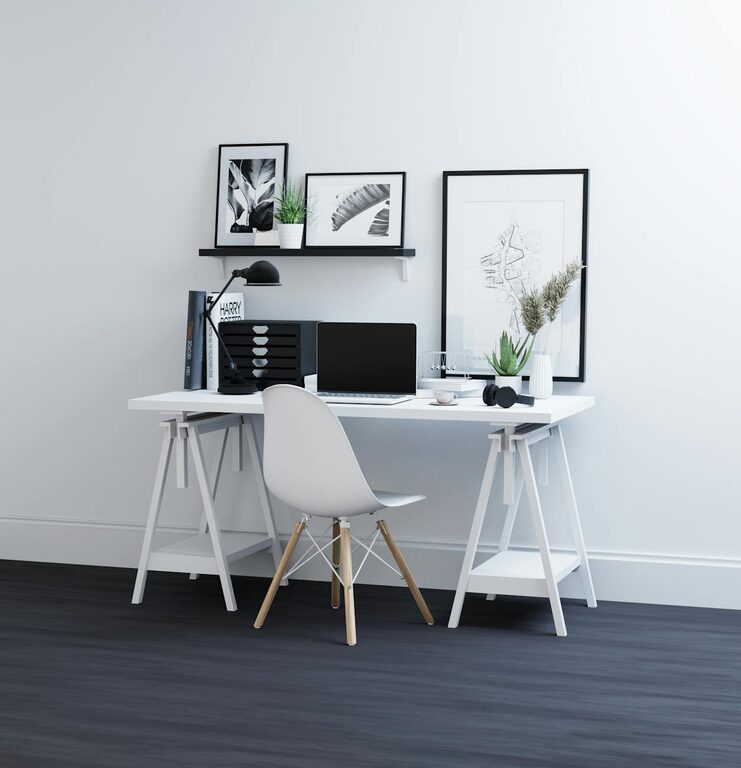
Creating a clutter-free and organised home office space can significantly improve your focus and productivity. Whether you work remotely full-time or just need a dedicated corner for occasional tasks, a well-arranged workspace helps reduce stress and makes working more enjoyable. Here are some practical tips to help you design a neat, efficient home office.
Assess Your Space and Needs
Before you start organising, consider how you use your office space. Think about:
– The type of work you do
– How much equipment and paperwork you need
– Storage requirements
– Natural light and ventilation
Knowing your priorities allows you to plan an office layout that fits your lifestyle and minimizes unnecessary items.
Declutter Regularly
Clutter can quickly accumulate, making it harder to focus. Follow these steps to keep your office tidy:
- **Sort and Sort Again**
Go through papers, cables, stationery, and other materials. Keep only what you need, and file or discard the rest.
- **Adopt the “One In, One Out” Rule**
When you bring in a new item, remove something old or unused.
- **Set a Weekly Tidy-Up Session**
Spend 10–15 minutes every week to tidy your desk and shelves.
Invest in Efficient Storage Solutions
Good storage helps maintain organisation and frees up workspace. Some ideas include:
– Shelves and Bookcases: Keep books, files, and decor off your desk.
– Drawer Organisers: Separate stationery and smaller items for easy access.
– Filing Cabinets or Boxes: Store important documents in labelled folders.
– Cable Management: Use clips, ties, or cable sleeves to prevent tangles.
Customisable storage allows you to adapt as your needs change.
Create a Dedicated Workspace
Having a specific area reserved for work sets boundaries between professional and personal life. Tips:
– Choose a quiet corner with minimal foot traffic.
– Position your desk near a window for natural light.
– Use an ergonomic chair to promote comfort and good posture.
– Add personal touches like plants or artwork to make the space inviting.
Optimise Your Desk Setup
A tidy desk promotes focus and reduces distractions.
– Keep only everyday essentials on the desktop.
– Use monitor stands or laptop risers to maintain ergonomic height.
– Place frequently used items within easy reach.
– Reserve drawers and containers for less-used tools.
A clean and functional layout invites productivity.
Label Everything
Labels help in quick identification and prevent mess:
– Label shelves, drawers, and boxes clearly.
– Use colour-coded files or folders.
– Sticky notes can serve as temporary reminders but avoid excessive use.
This simple step saves time and keeps your system orderly.
Use Digital Tools to Reduce Paper
Going digital reduces physical clutter:
– Scan important documents and store them safely on the cloud.
– Use apps for note-taking, to-do lists, and calendar management.
– Back up files regularly to avoid losing important data.
Digital organisation complements your physical office setup.
Maintain Good Lighting and Air Quality
A well-lit and fresh environment keeps you alert and comfortable:
– Use a combination of natural and artificial light.
– Position your desk to avoid glare on screens.
– Consider adding a desk lamp for focused lighting.
– Open windows or use an air purifier to improve air circulation.
These simple adjustments support a healthy work atmosphere.
Regularly Review and Adjust
As your needs change, so should your workspace:
– Periodically revisit your organisation system.
– Remove items no longer needed.
– Adapt furniture and storage to suit new equipment or tasks.
An evolving setup ensures long-term functionality.
—
Creating and maintaining an organised home office space is a continuous process. By assessing your needs, decluttering regularly, and using smart storage and digital tools, you can enjoy a tidy and productive environment. Remember, small habits like weekly tidy-ups and labelled storage make a big difference over time. A clutter-free office is not just about aesthetics—it is about creating a space where you can focus and work efficiently every day.